|
<LOGIN> October 20, 2026, 3:10 pm |

 |
Live Freeway Road Cams
|
Time/Distance/Speed |

|
|
Live Road Sign Report
Displaying the "Live Road Sign" report is similar to
displaying the "Live Road Cam" report.
After selecting option-4 from the main menu you will be presented with several options to choose from to display the
Road Sign Reporting located in various sections of the freeway.
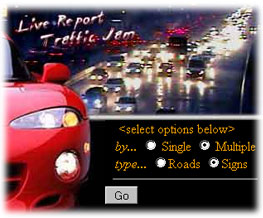
You will have the option to selected individual cams 'by' a specific location or multiple cams by specific area.
In this example we will select "Multiply" and "Signs" to display the current live text of the freeway signs.
|
|
|
|
Select a Roadway
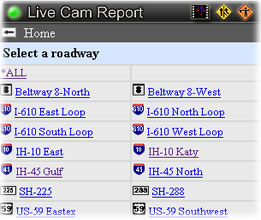
Selecting "by Multiple" and "Type Signs" will display the roadway selection screen. From here you may
select a specific roadway or you may select to display "*All" roadways.
Please note that it may take considerable time, depending on your wireless connection, if you select
"*All" cams to be display. In this example we will select I-610 North Loop.
|
|
|
|
Current Road Sign List
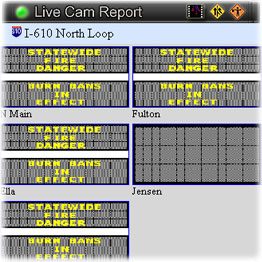
After selecting the above options we are presented with a live text report of the current road sign conditions. Here
we see that the signs make reference to some type of "State Wide Fire Danger" warning currently in effect.
Click on an individual road sign to display a larger image In this example we will click on the Fulton road sign to
display the large image.
|
|
|
|
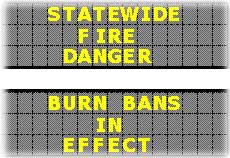
Fulton Road Sign
At other time the signs may display a road incident on the freeway and/or constructions in addition to other various warnings.
|
|
|
|
Live Freeway Road Cams
|
Time/Distance/Speed |
|
|
|
|
Copyright © 1996 - 2013 JM Solutions, Inc. Houston, TX - All rights reserved.
Website Design JM Solutions Webmaster
|
